Gardepro A60 Trail Camera Teardown and Review
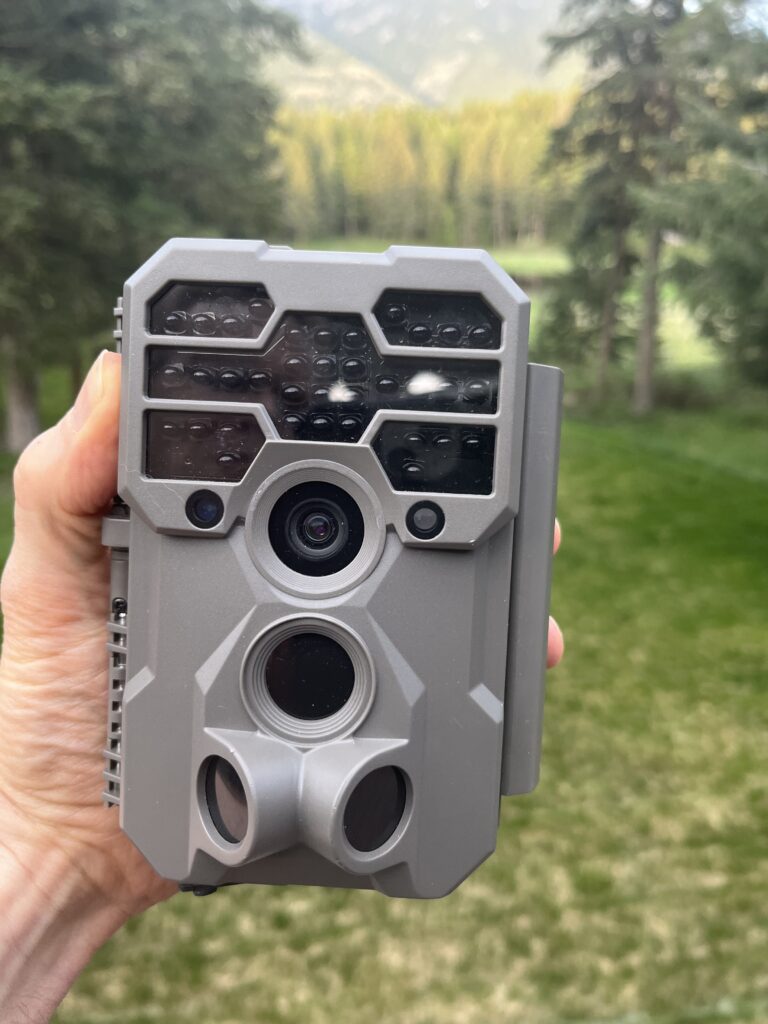
GardePro has become one of the main suppliers of low cost trail cameras. In this post, I take this camera apart to see what’s inside. I also include a video of the teardown and some daylight and nighttime example of video quality at different resolution settings, as well as measure the power. In my opinion, this is a good camera with a high quality sensor, extensive menu system, and low price. Details below.
The camera used in this review and teardown was provided to us by GardePro.
Teardown
In the following video, I take the camera apart and look at what’s inside.
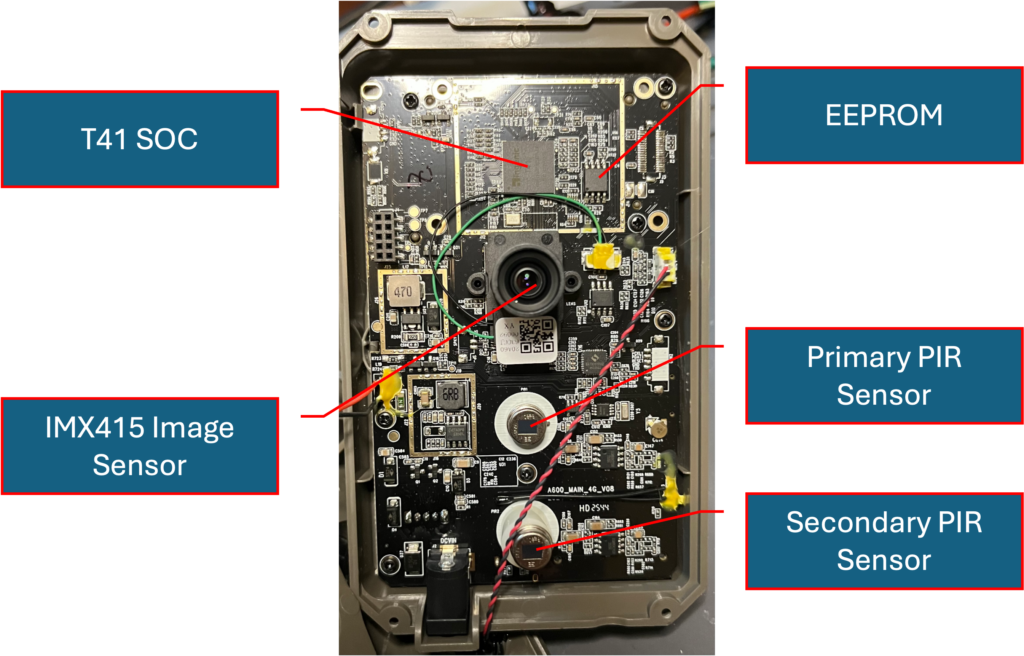
The photo below shows the major elements of this camera as visible on the front of the main circuit board.
SOC
The A60 uses an Ingenic T41 SOC (System on Chip). This is a competent, low cost video processing SOC. The SOC limits the frame rate for 4K video to 20 FPS.
Image Sensor
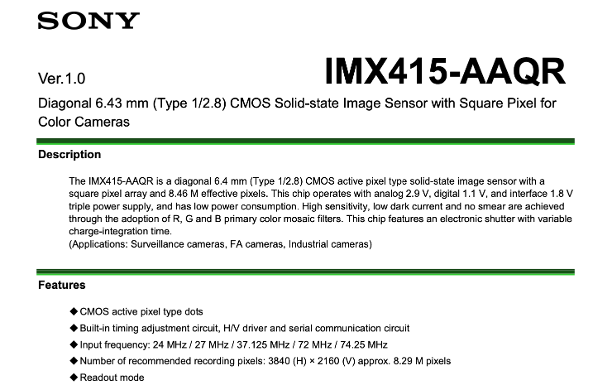
The A60 uses a Sony IMX-415 STARVIS image sensor. Sony’s STARVIS and earlier EXMOOR technology is industry-leading for low light image quality. Sony is now on to “STARVIS2” technology, but the IMX-415 is a very good sensor, and good to find in a low-cost trail camera. The IMX-415 has a resolution of 3840 x 2160, big enough for native 4K video and photos.
PIR Sensors
The A60 (and some other GardePro models) feature a unique second PIR sensor for side facing Fresnel lenses which will trigger the camera for animals entering the field of view form left or right, in addition to the primary PIR sensor which triggers for an animal. The PIR sensor for the side facing Fresnel lenses can be enabled or disabled in the setup menu.
Overall Build Quality
The plastic case is functional and sturdy. The locking latch is large an easy to use. It does not, however, feature a set of holes for installing a lock. GardePro does sell a steel lock box for this camera. It is not quite as rugged as one from CamLockBox.com, but it does its job.
GardePro has struggled with quality control on some earlier models. The unit I tested worked fine for the evaluation period of a couple of months, in the spring in northwest Montana. I don’t have enough experience, or the numbers to know how well this model will perform over time.
I notice that the major small cables for the microphone and power are attached to the board with removable connectors. I like this better than tack soldering these wires directly to the PCB, which can lead to cold solder joints. Unlike earlier GardePro models, these connectors are “sealed” with some sort of adhesive. This probably helps to keep the connectors together during shipping, or other periods of prolonged vibration. It does make it somewhat harder to service.
Power Consumption
I measured the current drawn by the A60 when in standby, playback, and while taking video. My results are summarized the table below.
| Measurement Condition | Power |
| Standby | 1.95 mW |
| Playback Mode | 1.95 W |
| Daylight Video | 1.82 W |
| Night-time Video | 6.63 W |
The standby power is a little high, in my optinion. An A60 left out for year with 8 Energizer Ultimate Lithium batteries will consume about 1/3 of the battery life in standby mode (vs. 1/10 for some other cameras). I would definitely recommend removing the batteries from these cameras between deployments.
Daylight video power is more competitive Night-time video is a little on the high side. I did not measure any difference in power due to different video resolution selections.
User Interface
The A60 features a large, color LCD screen, with an extensive menu of settings. It includes all of the typical settings for operating mode, photo and videeo quality options, photo burst mode settings, timelapse, and PIR sensitivity. The menu also allows selection of date and time format, and menu language.. There are also options to set a password and to control operating hours.
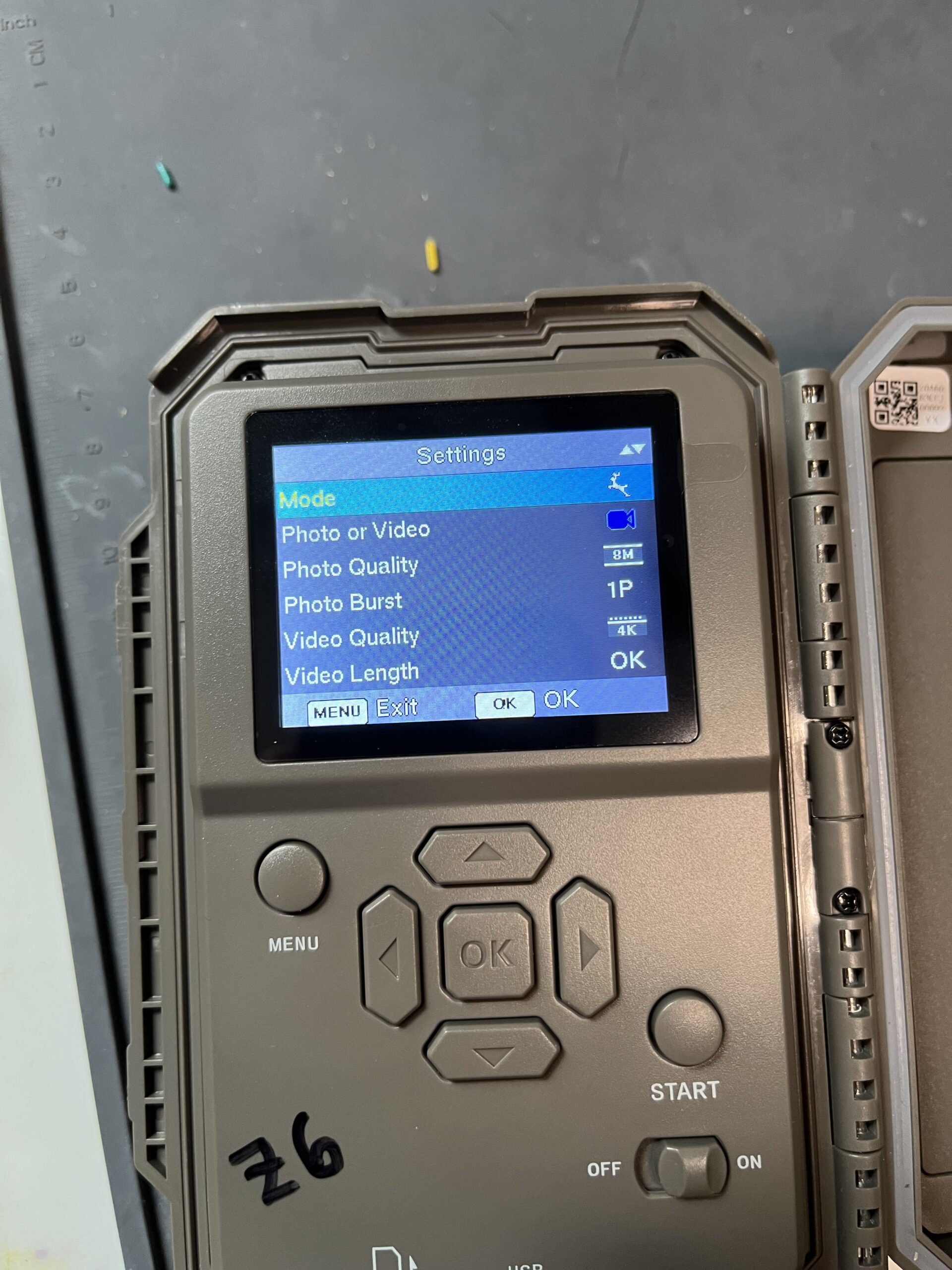
It also includes a few “extras” including: an ability to set different recording times for night and day; an option for “false trigger suppression” (I have not tried this, but it could be worth exploring in windy sets); and an ability to enable or disable triggering from the side facing PIR sensor.
There is a “Power Source” setting which allow you to choose between internal batteries, power from the 12V auxiliary jack, or power from one of 4 different solar collectors. These seem to be “hints” rather than hard switches, which is tor say the camera still works from battery even if you have it set to “DC Power”. I’m confused about some of the solar collectors, which do not include the A60 in their list of compatible models, even though they appear in the A60’s power menu.
There is no menu selection for updating the firmware, but the GardePro website describes how to do this with a “magic” button sequence and a firmware file on an SD card.
Video Quality
I include several examples of video quality from this camera in the video below.
To my eye, the 4K mode is not that useful because of the slow frame rate. The 30 FPS 2K mode is better, but I wish there were an option for 60FPS (e.g. 1K, or FHD at 60 FPS), as we find we prefer high temporal resolution for capturing animal motion, and allowing slow motion effects, vs. higher spatial resolution.
The exposure control is good, but not great, and to my eye produces color video which is a little “flat”.
The audio for this camera is quite sensitive, and clear. This despite a downward facing microphone port that can be covered by a security box.
Large SD Cards and File System Format
The GardePro A60 supports the older FAT32 file system, for all SD cards. If you use an SD card larger than 32 GBytes (likely, if you are taking high resolution video), you will want to format these cards in the GardePro camera. Although Windows will read and write FAT32 file systems larger than 32 GBytes, it will not format larger cards as FAT32. Instead, for 64 GByte and larger SD cards, Windows will format in the ExFAT files system. The GardePro A60 cannot write to ExFAT formatted SD cards, and will give an error, suggesting that you format the larger card in the camera.
Summary
The GardePro A60 is a good trail camera. Its strong points include user interface which many parameter options, good audio, and low cost. There are 3 video resolutions settings: 4K at 20 FPS, and 1 and 2K at 30 FPS. I wish there were a 60 FPS video option. Video quality is good, though the resulting color images strike us as a little flat. The camera worked fine for the couple of months we had it deployed.
I would love this camera!!!
Nice review. I had a GardePro and the night time video was really bad whenever something got too close to the camera. But, I accepted that flaw for the excellent audio which you had pointed out.
I may (or may not) be the first to comment, but will save your camera for the next person to get your test camera. 😉
Thanks. I didn’t do a thorough test of all the conditions one might find in night time images, so your experience is good to know. At least the GP firmware allows you to take night time videos longer than 20 seconds!
(As it happens, you were 15 minutes after the first responder, but I still appreciate the thought!)
I enjoyed the review, especially the image sensor information.
Glad you found the review useful. I was surprised to see a Sony STARVIS sensor in this low-cost camera. As we learned with a recent Browning release, having a good sensor is necessary, but not sufficient for getting great images. The firmware that controls the auto-exposure and white balance is also critically important. The A60 firmware seems to do a competent job
antitheft system for trail cameras – https://mytrailcamera.pro/
This looks very promising in areas where there’s a lot of theft. Fortunately, that isn’t near us, yet.
Looks interesting. In your view what does it compare with and what would be your absolute choice of camera that has Wi-Fi and 60 frames per second?
I only do occasional reviews, so can’t really provide a list of comparable cameras. Check out naturespy.org and trailcampro.com, both of which offer camera selection guides.
Also, I’ve never looked at any Wifi camera. The combination of WiFI and 60 FPS video is not very common. A quick google search produces: Campark TC06 Dual Lens; WildGuarder WG700; and GardePro E6. Of these I, cannot find the WG700 at the WildGuarder store, and I’m pretty sure the GP E6 only supports 30 FPS. I guess that leaves the Campark TC06. According to the users manual, it will do 60FPS in 2K and 1080P video modes. And that’s all I know 🙂 . If you decide to try it out, let us know what you think.
Good evening.
I checked out the Gardepro website, and they’re releasing a lot of new cameras that’s great in terms of competition.
I watched some videos of the Gardepro E5S and thought it looked really good, especially the nighttime photos.
Unfortunately, they don’t ship the cameras directly to Brazil; Campark does, but Gardepro doesn’t.
It would be great if there were a model as good as a standard Browning HP5, but it’s hard to find that kind of comparison online.
Best regards,
Erik from Brazil.
Thanks for the heads up. I’ll add the E5S to my list of cameras to look at. If I do, I’ll post a review here. It may be a while. Lately I’ve been working on an iPhone-based trail camera concept. Not quite the same price point (though close if you use an older model iPhone). I’m on my second board spin and deep into firmware development of the prototype. I’m going to “finish” this project before doing any more 3rd party reviews.
Good morning.
Wow, what an interesting project! Speaking of old iPhones, I have an iPhone 8 Plus (256 GB) and two iPhone 5Cs (16 GB) sitting here at home unused. Unfortunately, their batteries don’t last very long, but they’re still working fine.
I’ll keep an eye on your blog so I can read about your project.