Canon R50V for Video Camera Trapping
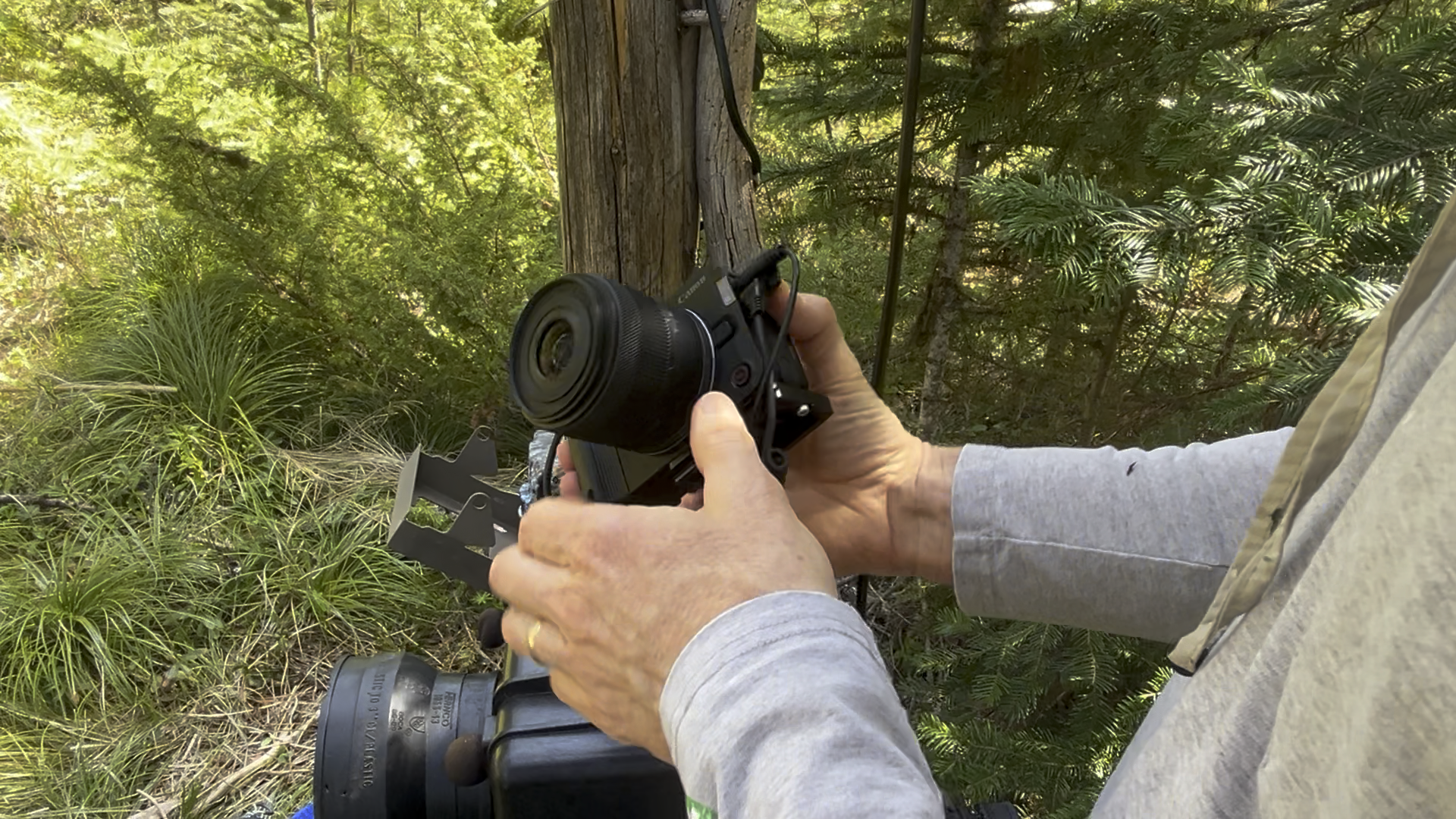
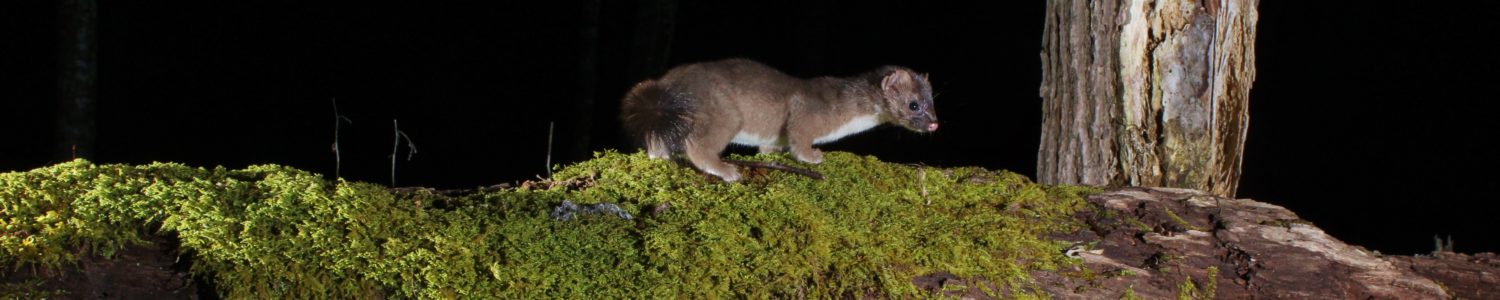
The recently introduced Canon R50V is a mirrorless APS-C sensor camera optimized for video. It is primarily marketed towards “content creators” — that is individuals who create high quality, self-produced video clips. However, it also makes a pretty good platform for camera trap work, enabling high quality photos and video. In this post, I’ll be taking a looks at the R50V in more detail, evaluating it’s strengths and weaknesses for use in video camera traps.
Stay tuned for an upcoming post where I describe more of the set, and the settings we’ve used so far when running this camera trap.
I purchased the camera and kit lens used in this review from Canon directly as a “factory refurbished” unit. This post is not sponsored.
Wake on Remote Shutter
The most important feature for any camera in a camera trapping setting is that there is an easy way to trigger the camera. That is, wake it up from a low mode as quickly as possible and start taking video as quickly as possible.
The R50V has a standard 2.5 mm audio-jack port for a simple shutter release. Critically, the camera will wakeup from standby and start taking video when the shutter release is held active for 2-3 seconds It will then stop taking a picture if the shutter release is pulsed again. This works well with the Cognisys Scout controller, for example.
Trigger Speed
Unfortunately, the trigger speed, or “time to first frame” for the R50V is quite slow by camera trapping standards. Whereas a modern commercial trail camera typically has a trigger speed of a half a second, or less, the R50V doesn’t record its first frame for 1.1 – 1.3 seconds after the shutter release is activated. This is not bad for a mirrorless camera, but is glacial compare do to modern trail cameras.
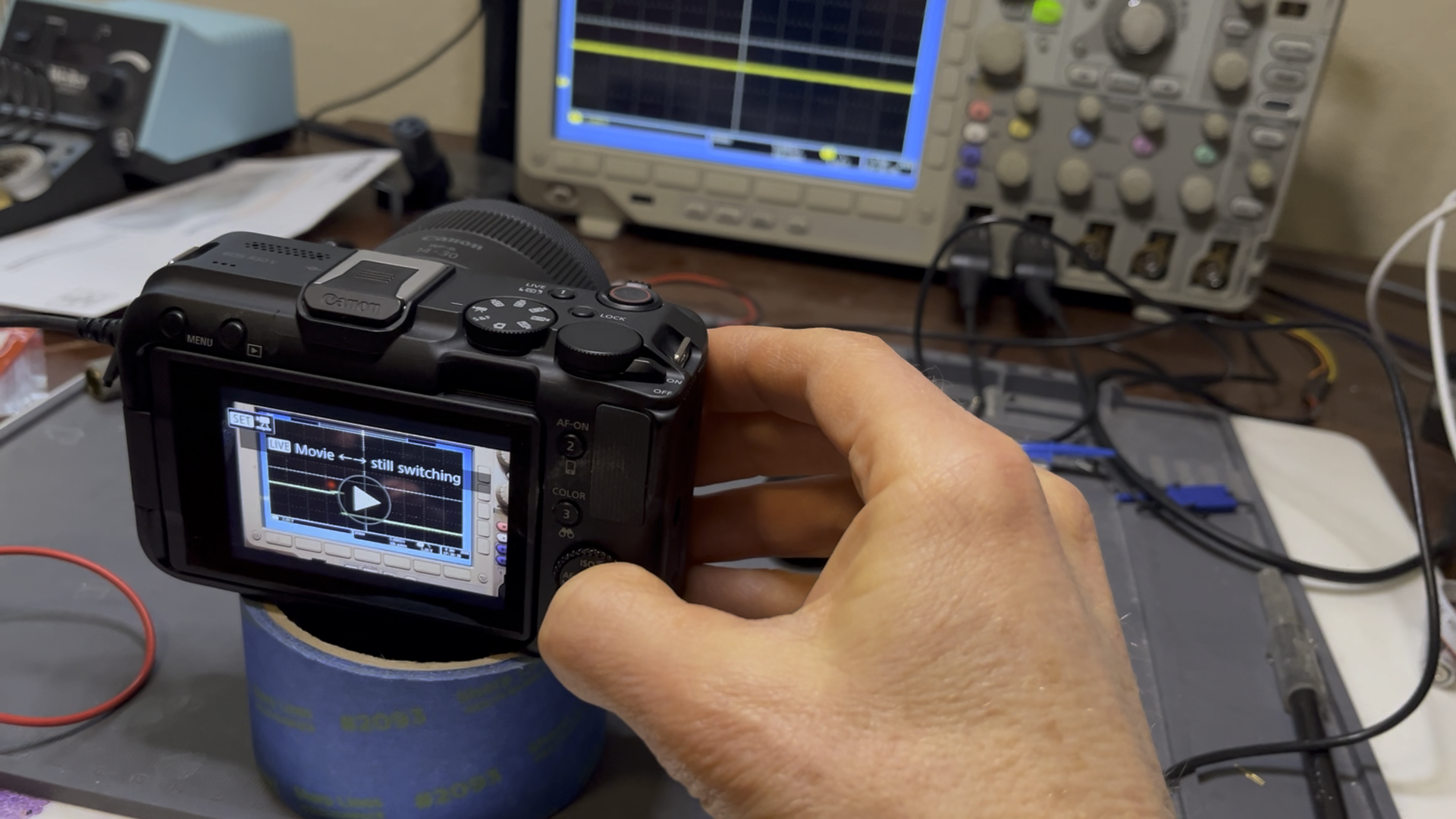
From a practical perspective, this means placing triggers sensors for the camera in such a way that an animal is detected well before it enters the field of view of the camera. This may require multiple trigger sensors, targeting likely approach paths to the camera set, and will likely result in more captures with no animals.
Automatic Settings
The R50V supports a number of fully automatic settings. We’ve had very good luck running this camera is it’s “fully automatic” mode. We’ve found the camera to do a very good job adjusting for fully daylight, low lighting, snow, and LED-illuminated night time images.
But its important to note that the R50V also supports a ton of manual configuration options, which would allow a skilled perfectionist to optimize a set for very specific lighting conditions
Turning Stuff Off
There are several settings which should be disabled when using the R50V in a camera trap.
Tally Lamp
The R50V features a small red LED on the front of the camera that comes on when the camera is taking video. It is meant to let the subject know the camera is “live.” It should be disabled in camera traps, as it can disturbing to animals. In addition, in typical camera enclosures, with a glass cover over the lens to keep out water, light from the LED is often reflected back into the image sensor, leading to an undesirable red artifacts in video.
Auto-Level
The R50V has a clever automatics setting design for bloggers which automatically rotates the picture to keep it level to the horizon. In a camera trap, we found that if the camera is a little out of level when installed, the auto-level feature consumes multiple frames at the beginning of each video capture “leveling” it. This is annoying, and gives the the first free frames a “sea-sick” feel. This feature should be disabled.
Smart Phone Integration
As one might expect of a camera targeting modern content creators, the R50V has an up-to-date remote app for smartphones.
Liveview
The biggest strength of his app for camera trapping is that you can control the camera remotely, including the zoom settings on motorized lenses (like the 14-30 mm kit lens) through a liveview of screen. This is handy for final aim test of the camera in the field. .
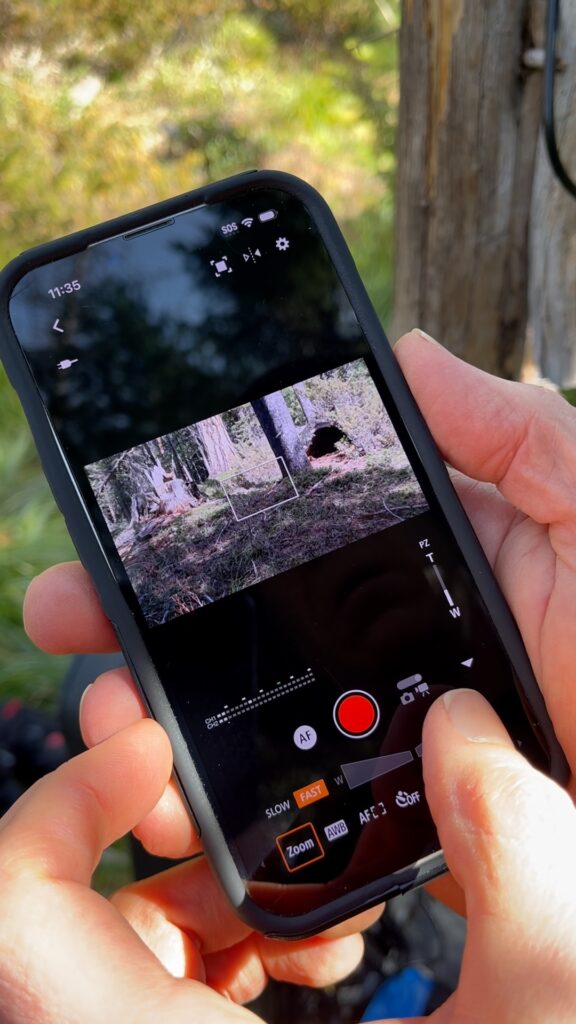
Unfortunately, after doing this, it’s still necessary to access the camera and its screen directly to enable “Airplane Mode.” This mode disables the BlueTooth and WiFi interfaces needed by the remote app. It also significantly reduces the camera’s standby power draw, and thus extends battery life.
Remote Settings
You can access a number of settings remotely, which is great. The image resolution and frame rate settings are a little tricky to do over the remote app because the camera tries to prevent you from choosing unsupported combinations. For example, you can choose a frame rate of 60 FPS when operating in 4K-Cropped mode. However, the user interface only allows you to change one item at time. If you are in 4K, 30 FPS mode, you can’t select 4K-Crop, 60 FPS, and if you are in 4K-Crop, 60 FPS, you can’t select 4K. The trick is to choose “FHD” – which supports all frame rates, and from there first adjust the frame rate up or down, and then the resolution (4K or 4K-HD).
Download Images?
The remote app allows you, in principle, to download movies from the camera on to your smart phone. To display the video on an iPhone (at least) the camera must be set for XF-AVC S YCC420 8-bit.
For high resolution video, even over a local WiFi link, which the app seamlessly supports, the transfer time for a 10 second video is about 10 seconds. It’s not practical to download more than a few clips from the camera in the field because of the time it would take. Filtering through a list of videos could allow you find the most promising clips to download, but this is hampered by relatively low resolution thumbnails.
In short, for camera trapping applications, the best use of the smart phone app is to use the liveview feature to make sure you have the camera aimed right where you want it. A very useful feature.
Audio
The R50V supports stereo audio, with a sophisticated auto-sound-level system. It has two microphones built into the camera, as well as a port for connecting external microphones . An “Audio status” menu item allows you to visualize the sound level. Like most parameters on this camera, you can set the camera to a specific sound level; or to automatically adjust based on ambient sound.
We’ve found the audio from the R50V when used with external microphones to be far superior to the sound quality of a typical trail camera.
Tracking Autofocus
The R50V has several autofocus modes. The one most useful for camera trapping is the “full frame” mode where the camera finds a point of interest anywhere in the frame, and focuses on that. In video mode, it will also track the point of interest and adjust the focus dynamically. Two settings allow the user to change the threshold for finding the initial point of interest, and another for maintaining tracking. The default values seeIt’s quiet, and seems to work pretty well. The R50V also has an auto-focus mode specifically for recognizing and tracking animals — a great feature for camera trapping.
In our initial tests, the autofocus worked very well tracking deer as they passed by the camera in an open understory. Focus moved smoothly, quietly, from no animal, to animal, to another animal. These are promising, but we plan on continuing to experiment, especially in sets with more complex and dynamic background scenery.
We have noticed that the autofocus is a little slow under low light conditions — taking a second or so to lock-on — but the end result is still quite good.
Power Consumpation
I looked at the R50V power consumption in “standby” and “active” mode. Standby power affects the time the camera can be left in the field, waiting to take a video. Active power determines how much total video you can store for a given battery size.
Standby Power
I measured the standby power for the R50V at 500 micro Watts. I did the measurement with the camera set to “airplane mode”, which disables the WiFi and BlueTooth radios. This is actually better than the 700 micro Watts of a typical trail camera, and means that the idle time can practically be ignored when determining battery size.
Active Power and SD Card Size
The R50V consumes about 5.7 Watts while shooting 4K/30FPS. A single 14.8 Volt * 2.6AmpHour LiIon battery pack from Cognysis provides approximately 38.5 Watt-hours of total energy. This will allow the camera to take approximately 6 Hours of 4K/30FPS video. This is a pretty good match for the video capacity of a 256 GB SD card.
Depending on the coding format, the camera will fill a 512 GB (maximum size supported) SD card in 7-11 Hours. If you are using the most efficient encodings, it makes sense to provision the camera with a larger battery — in a Cognisys system, for example, with two Li-Ion battery packs. This will insure that there is enough battery capacity to (potentially) fill a 512G SD card.
Lens System
The R50V supports Canon RF and RF-S lens format. Note that although they use an APS-C sensor, this is not the same lens format as in the Canon’s higher-end APS-C DSLR and mirrorless cameras, which use the EF and EF-S format.
The selection of lenses for the RF standard is currently much smaller than for the EF. Canon does make an adapter which allows using EF lenses on the RF mount.
I found the mounting hardware for the RF lenses is noticeably less robust than the EF lenses. More plastic, less metal, and without the solid feeling “click” I’m used to on the Canon 60D. When I first installed the lens, carefully, I thought, I failed to secure it properly, which led to a worrying debug session in which the camera showed a dim screen, and would not focus or take pictures or video. Fortunately, re-installing the lens, even more carefully this time, fixed the problem. Once properly installed, the lens feels solidly attached to the camera.
The RF lens mount could be a big deal when using the cameras in the hands of a photographer, especially when trying to swap lenses quickly in the field to get the perfect shot. I can easily imagine, over time, one of the plastic mounting tabs becoming worn or damaged. For camera trapping, the less rugged lens mount hardware is less of an issue, since they are changed much less frequently, and under less duress.
Video Resolution and Frame Rate Options
The R50V supports a range of video resolution and frame rates, as shown in the table below. Note that the R50V will support up to 120 FPS in FHD (1920 x 1080) resolution. At full 4K resolution, the maximum frame rate is 30 FPS, whereas 4K-Cropped is necessary to reach 60 FPS. See next section for tradeoffs with 4K-Crop mode.
We have found that 30 FPS is fine for most wildlife captures. For particularly fast subjects, 60 or even 120 FPS allows smooth slow motion effects.
| W x H | Frame Rate (FPS) | ||||
| Video Resolution | W x H | 24 | 30 | 60 | 120 |
| FHD | 1920 x 1080 | | ✔ | ✔ | ✔ |
| 4K | 3840 x 2160 | ✔ | ✔ | ||
| 4K-Cropped | 3840 x 2160 | ✔ |
Cropped Image at 4K/60 FPS
Although the R50V will record at 4K, 60 FPS, there is a significant tradeoff. Specifically, in normal 4K mode, the camera uses the image as it appears over the whole 6000 x 4000 pixel sensor and dynamically renders it to the 4K resolution of 3840 x 2160 on every frame. But the R50V can’t render at the higher 60 FPS rate, so instead the it samples a 4K-size subsection of the sensor and feeds this stream to the video compression unit. The results of this tradeoff are twofold:
- 4K 24/30FPS has a wider field of view, since this mode uses whole sensor is. With more pixels being used to render the 4K frame, each frame is also higher quality. The downside is the 30 FPS rate.
- 4K-Crop has a narrower field of view, since only a subset of the whole sensor is used. Without benefit of nearly half the pixels in the sensor, each cropped frame is also lower quality. The advantage is a faster frame rate.
Sample Video
I’ve made a companion video featuring a few examples of video taken with the R50V.
Nits — Awkward SD Card Location
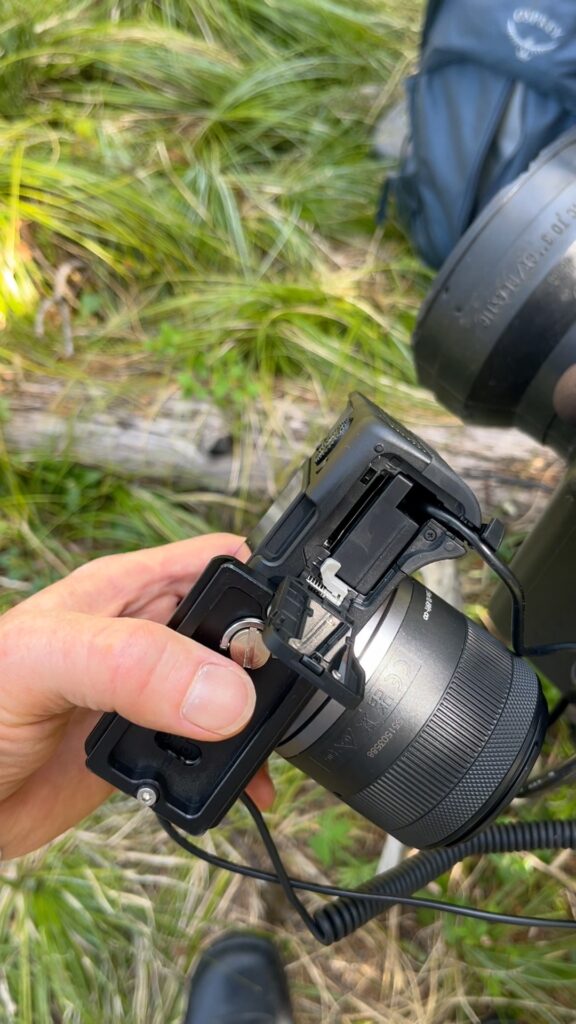
SD card fits under door on the bottom of the camera, with the battery. Since we typically mount the camera inside the enclosure from the bottom, this means we have to remove the camera to access the SD card.
Conclusion
If you are looking to get started with mirrorless camera trapping to improve the image quality of your best captures, you can’t go too far wrong the with the Canon R50V. Its low entry price, shutter release port, and suite of automatic features make it relatively easy to capture 4K video which are noticeably better than current trail cameras, especially at night. It also features manual settings which allow further tuning of the parameters to get even better photos and video. The RF lens mount allows more serious and/or experienced photographers to “buy up” in lens quality.
We’ve found this camera very good video in daylight — conditions under which our Browning ReconForce and SpecOps cameras also do well. Where this camera “shines” is at night. With a more light sensitive sensor, and offset external lighting, the color and detail are much better in ninth time video than in our white-flash modified Browning Advantage, the Guardpro T5WF, or other Reconyx white flash cameras.
It’s not perfect. Although the trigger speed of 1.1 – 1.3 seconds is good for a high-end mirrorless camera, users of trail cameras will be disappointed. The slower trigger speed means more work to set up (possibly multiple) triggers so that the camera has time to wakeup before the animal enters the camera’s field of view.
Comments
Canon R50V for Video Camera Trapping — No Comments
HTML tags allowed in your comment: <a href="" title=""> <abbr title=""> <acronym title=""> <b> <blockquote cite=""> <cite> <code> <del datetime=""> <em> <i> <q cite=""> <s> <strike> <strong>